
Creating a scalable design system for web and Android applications
Orderin needed a design system to standardize UI patterns, improve collaboration between design and engineering, and accelerate product development across platforms.
I led the creation of a cross-platform design system that supports both web and Android applications, working closely with a front-end developer who implemented the component library in React and Storybook.
Orderin
Lead UI Designer
Design system creation
Web and Android
React component library in Storybook
As the product grew, the team faced several challenges
The goal was to create a shared system that aligned design and engineering while supporting multiple platforms.
The design system was built around three principles.
Establish clear UI patterns and reusable components.
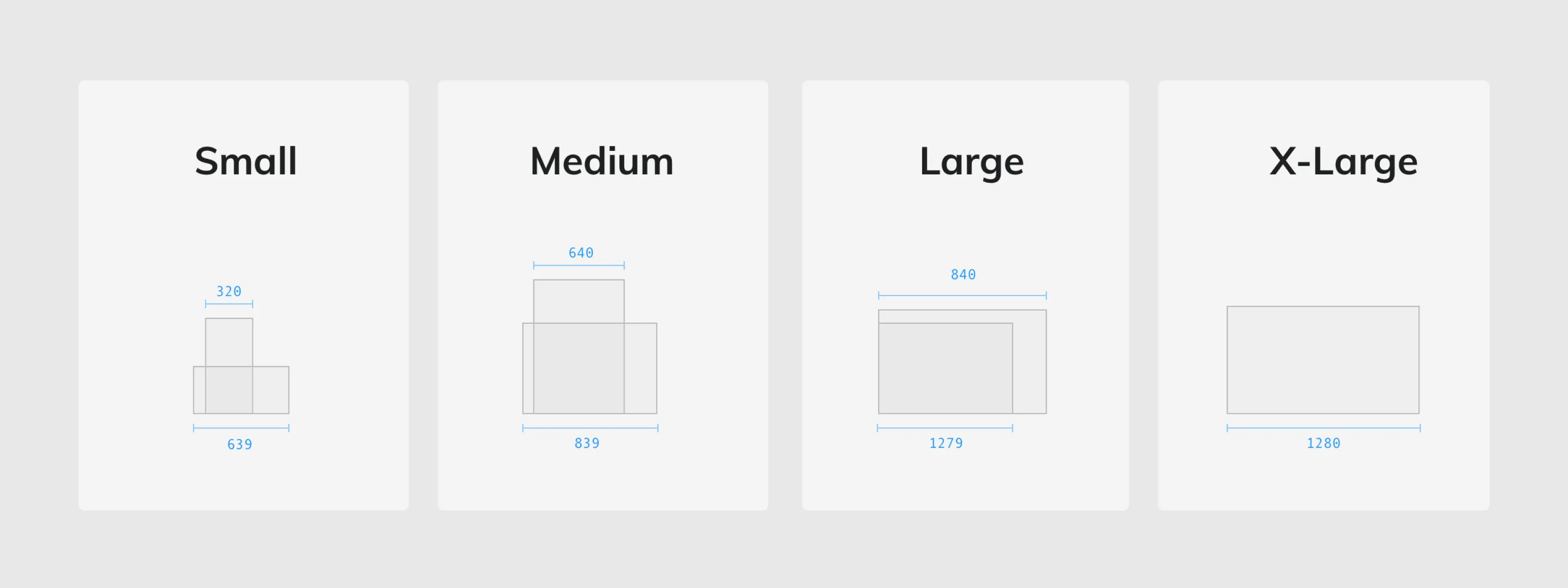
Ensure the system could support both web and native Android products.
Create a workflow where components are designed once and implemented once.
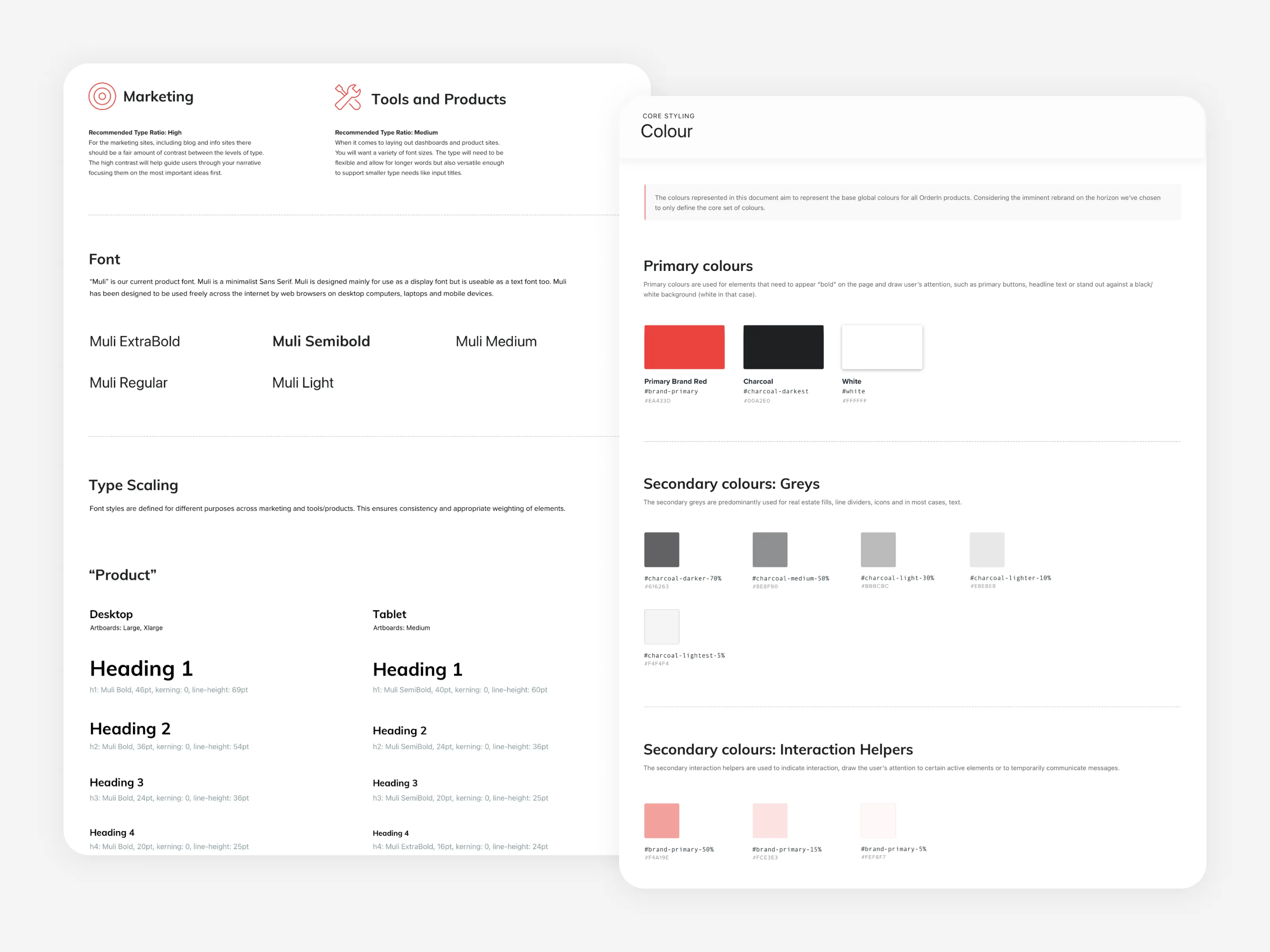
The system was based on Google Material design patterns, adapted to support Orderin’s product needs.
Core foundations included:
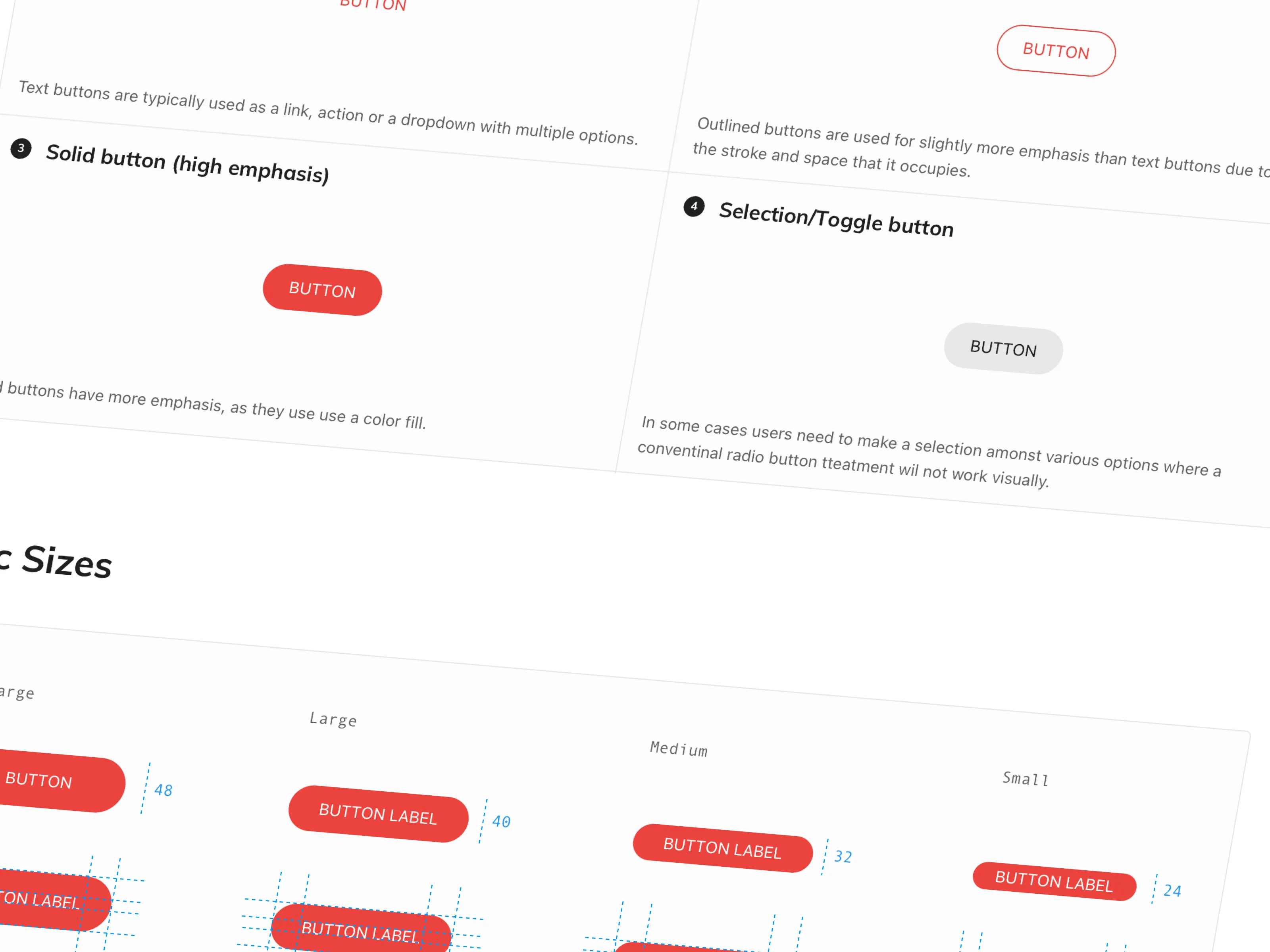
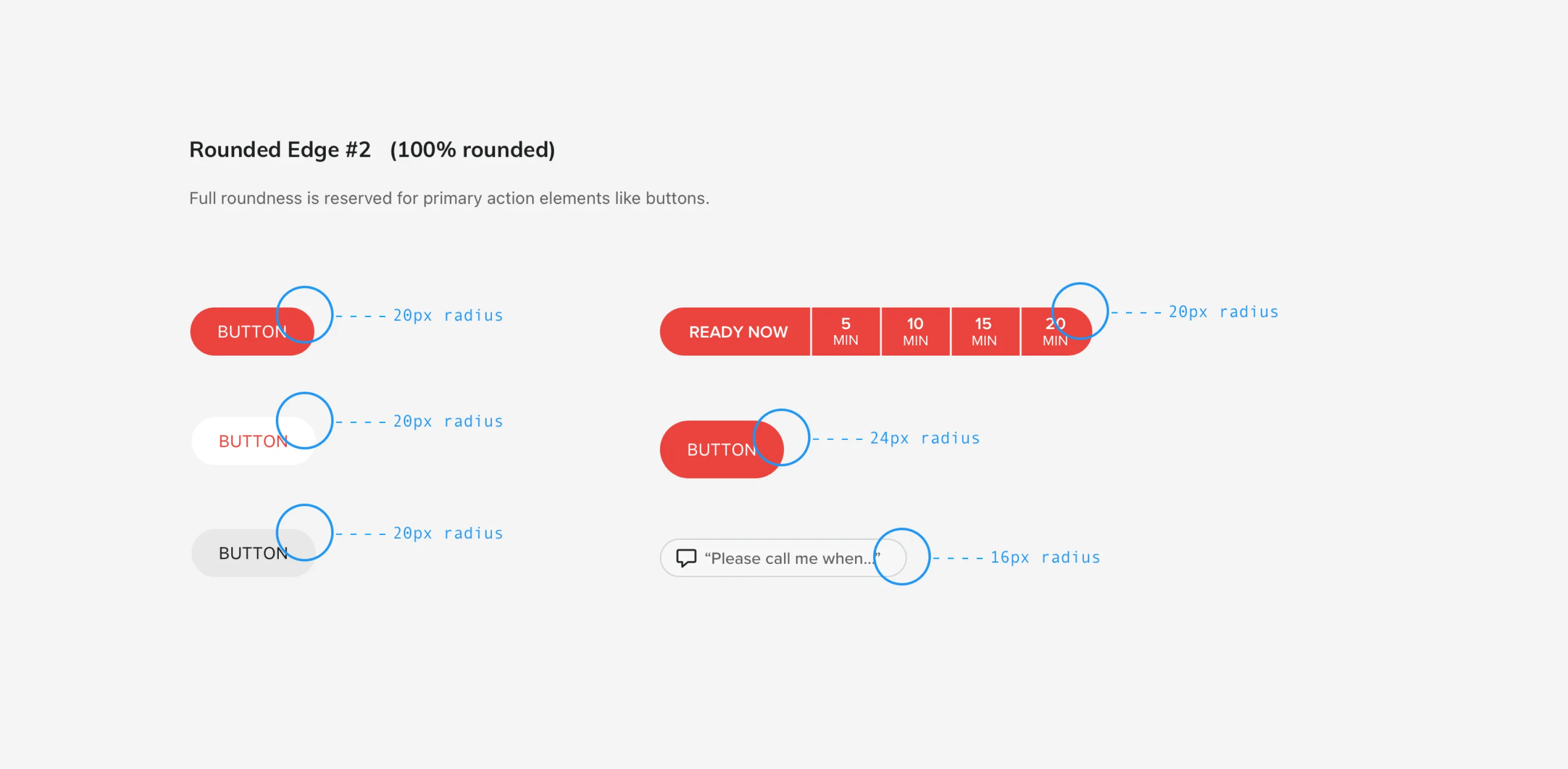
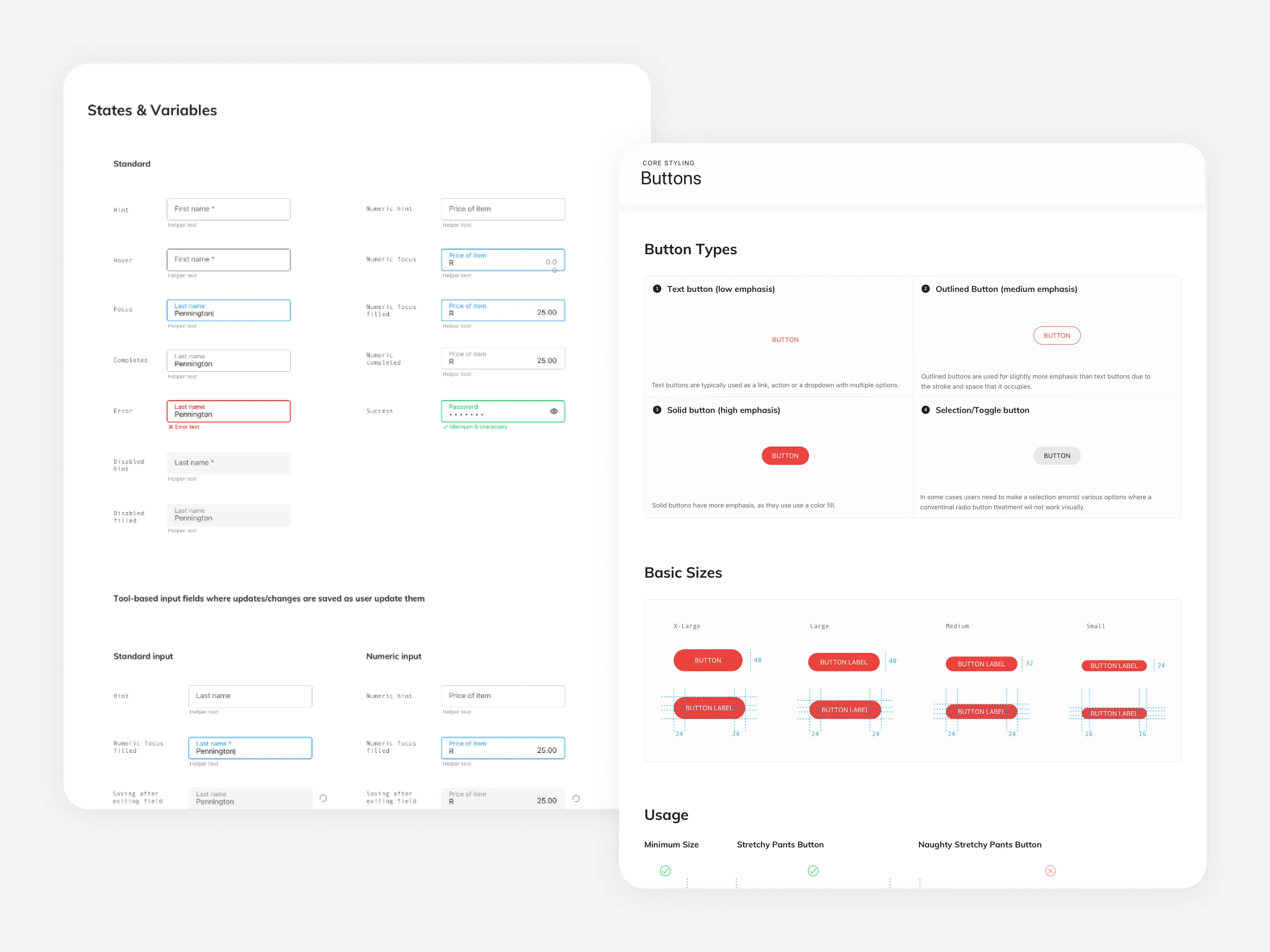
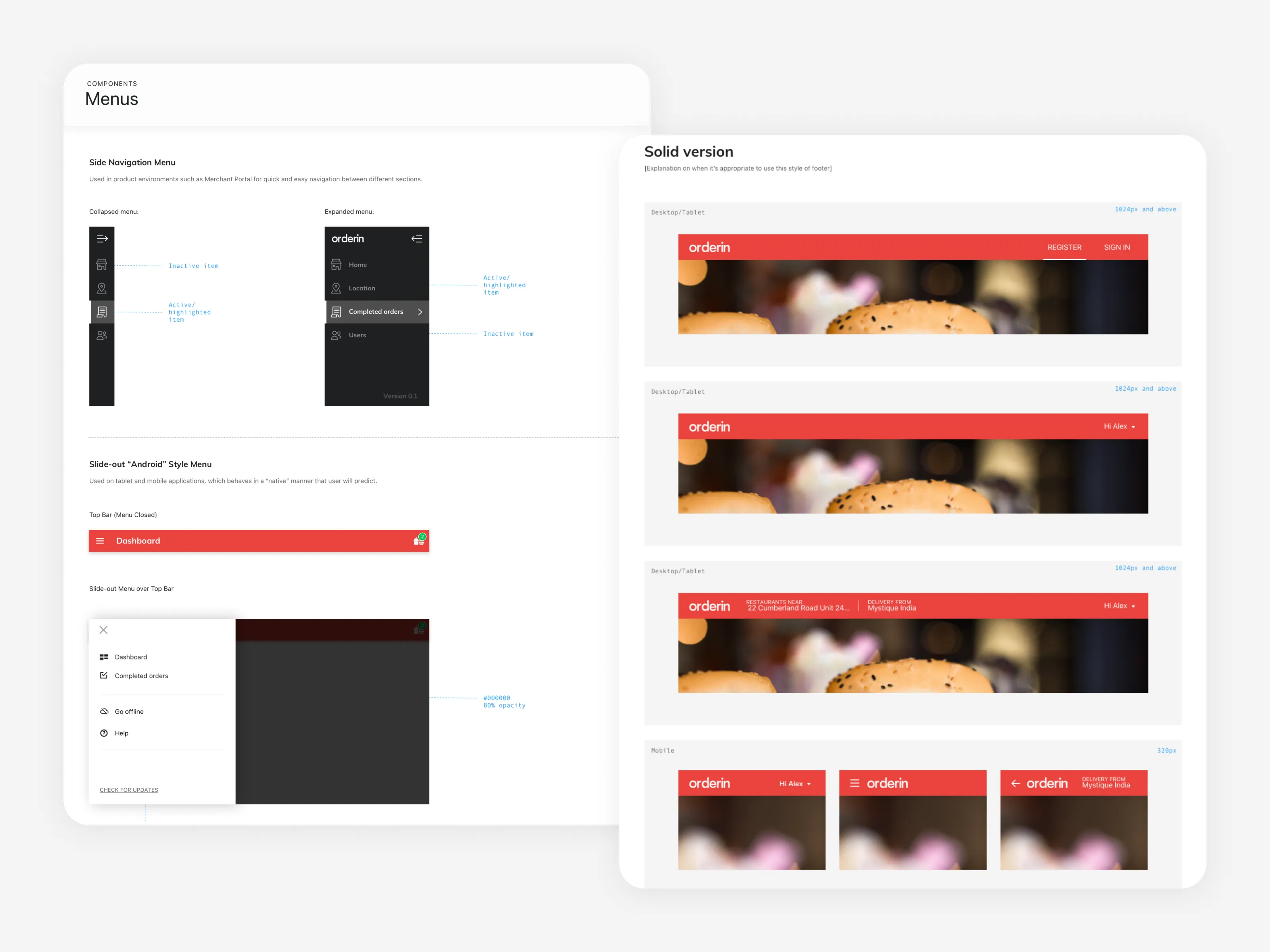
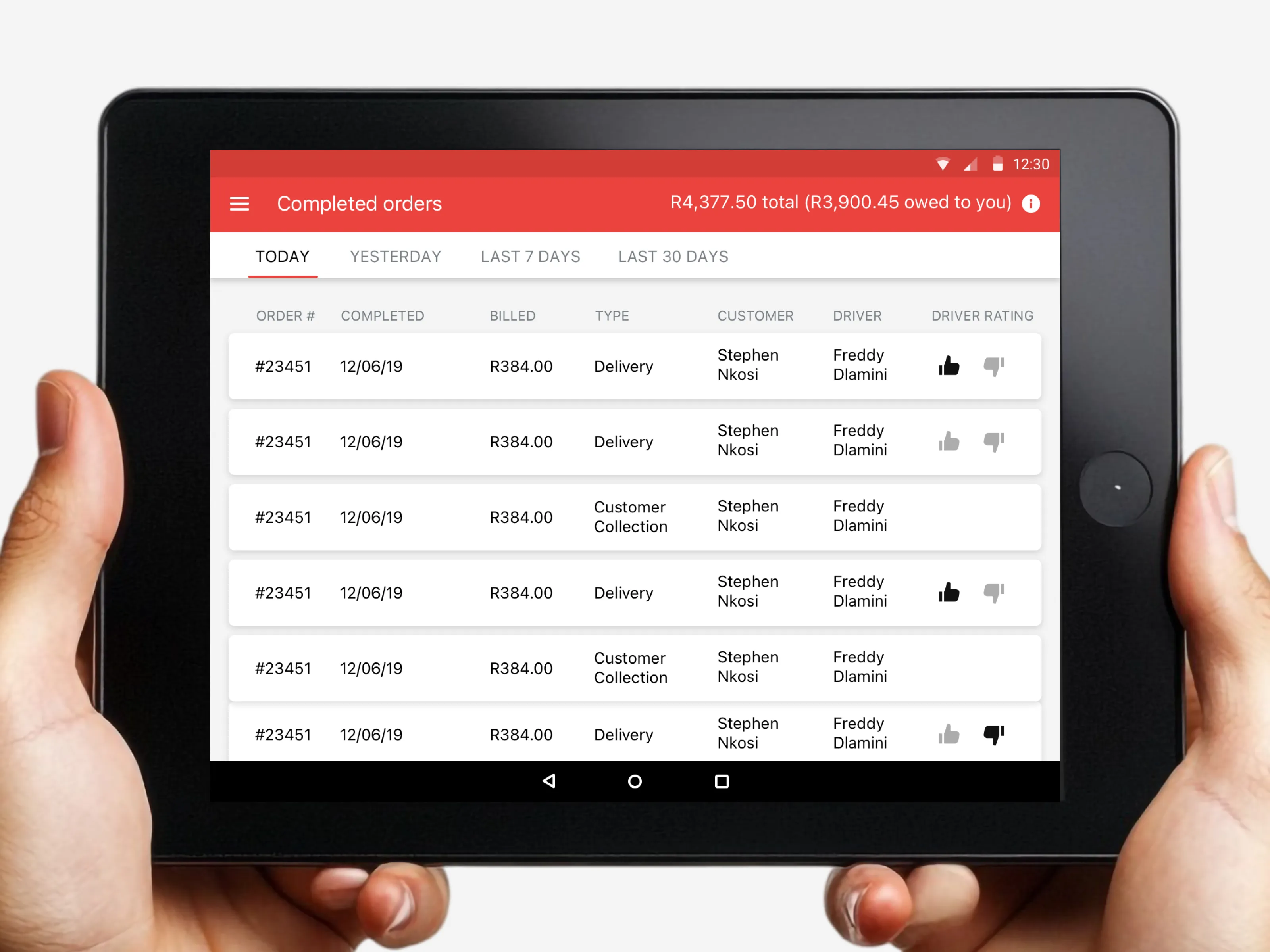
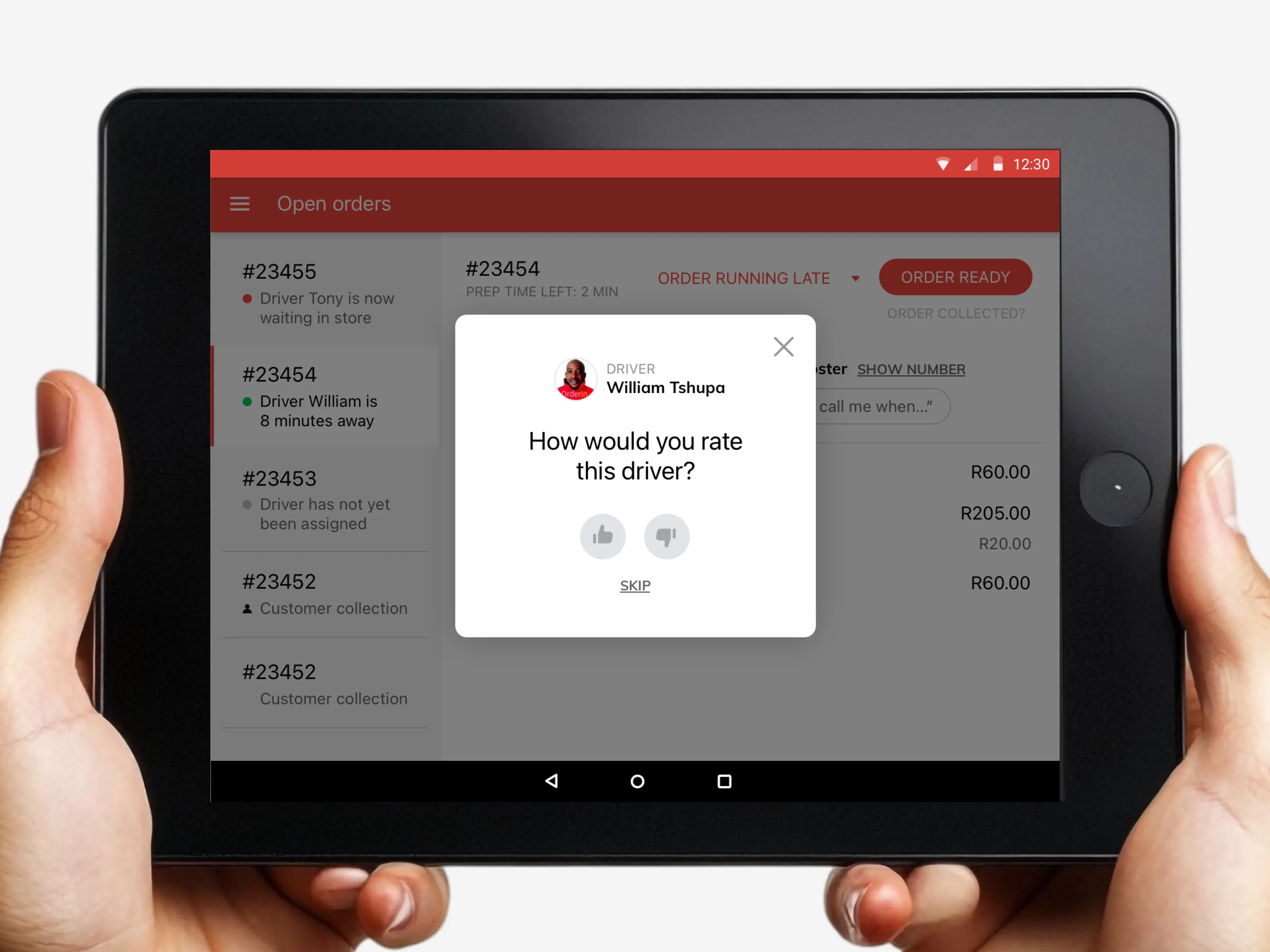
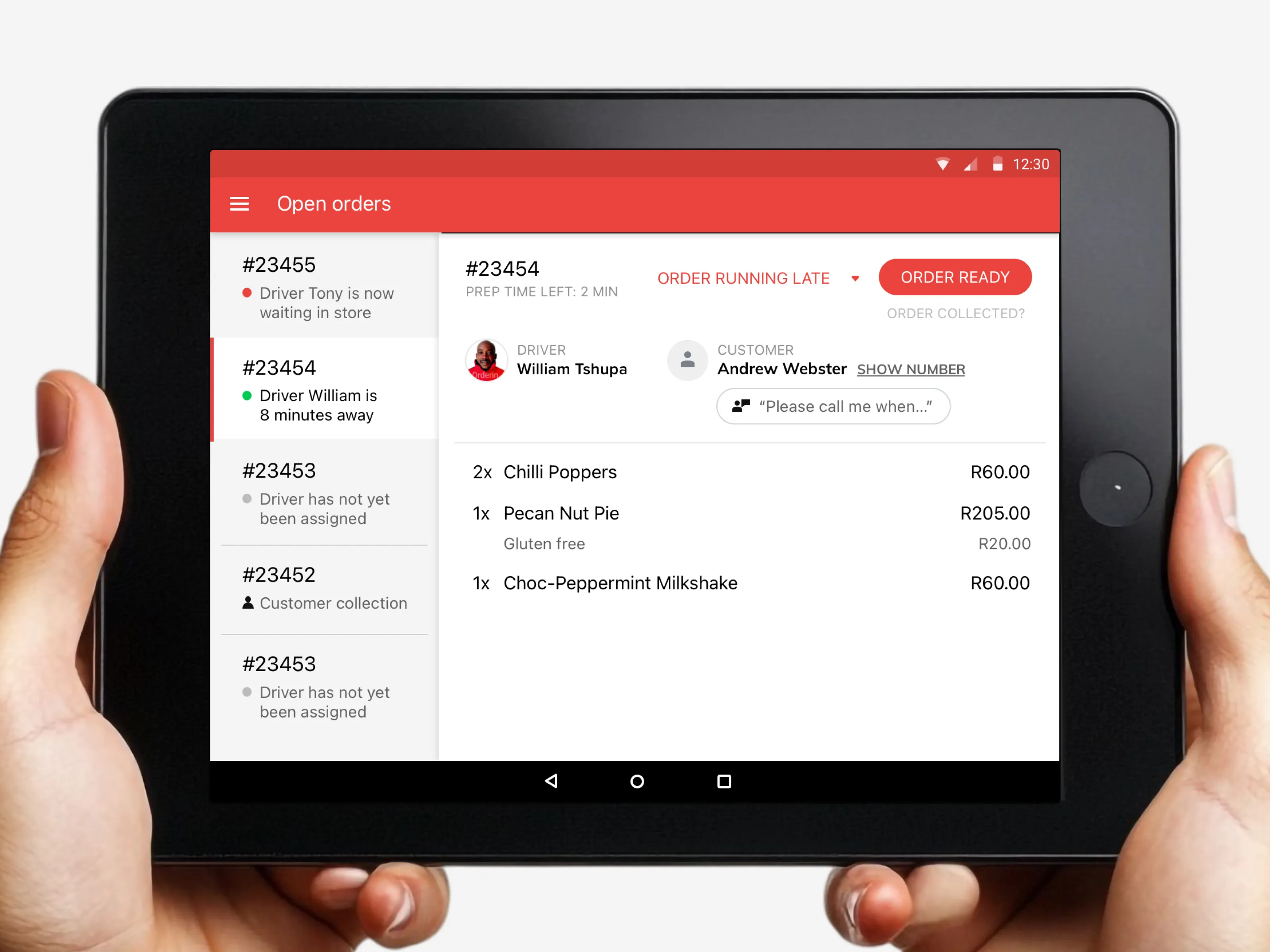
The design system included a comprehensive set of reusable components such as:
Each component was documented and implemented in Storybook, enabling developers to reuse components consistently across the product.
A key goal was improving collaboration between design and development.
The workflow worked as follows:
1. Components designed in the design system
2. Reviewed with engineering
3. Built as reusable React components in Storybook
4. Used across the product
This ensured design decisions translated directly into production-ready components.
The design system created a shared language between design and engineering, enabling:
I led the design system initiative by:
Getmo is built for SaaS, marketing teams and growing busineses that need consistent, ongoing, senior-level design support without the hiring and agency headaches.


Getmo is a subscription-based design and Webflow service that gives startups, marketing agencies and SaaS teams unlimited design requests, fast turnarounds, and predictable monthly pricing — all handled by a senior designer at Getmo.
You subscribe using PayPal, submit design requests in our client portal, and we work through them one by one. You can pause or cancel anytime, so you only pay when you need Getmo.
Fast-moving startups, SaaS companies, marketing teams and small teams that need consistent, high-quality design work without the cost or overhead of hiring in-house designers or traditional agencies.
Getting started is fast and straightforward. First, we’ll walk you through a short demo so you can see exactly how our workflow and client portal operate. We'll also assess whether our services would be appropriate for your needs. If you’re ready to move forward, simply subscribe via PayPal. From there, we’ll onboard your team into the Getmo client portal. Once you’re set up, you can immediately start submitting design requests — and you’ll begin receiving your first design artefacts and responses within 48-72 hours.
Getmo is fast, flexible, and predictable. No contracts, no hourly rates, no limits on requests or revisions. Just a dedicated to delivering quality work at startup speed.
Yes — Getmo thoughtfully integrates AI tools to enhance efficiency while maintaining the highest design standards. Technologies like Figma’s Make, ChatGPT, and Claude help accelerate early exploration, content drafting, and initial concept development.
However, every final deliverable is crafted, refined, and quality-checked by a human. AI supports the process — the expertise, judgment, and creative direction always come from seasoned professionals.
Getmo covers a wide range of creative and web work — including UI/UX design, App design, Webflow development, brand identity, illustrations, pitch decks, marketing design, and social media creatives. If it’s design-related, we can handle it.
We work in Figma for UI and web design, Webflow for development, and Photoshop/Illustrator for branding and graphic work. We also use AI tools to streamline workflows and speed up delivery.
Unlimited. Add as many requests as you want to your queue. Getmo completes them one at a time with fast turnaround.
Yes, unlimited revisions. Getmo keeps iterating until you’re 100% happy.
Getmo currently design and develop Webflow websites only — from simple landing pages to full multi-page sites. Just submit your requirements through the client portal and we’ll take it from there. We’re also working toward adding support for Framer and custom web development in the future.
Most tasks are delivered within 48–72 hours. Bigger or more complex projects may take longer, but we’ll always communicate timelines upfront.
You’ll use Getmo's simple client portal to submit tasks, upload assets, give feedback, and communicate directly with the founder and designer of Getmo.
Absolutely. You’ll work directly with the founder of Getmo on every project.
I intentionally keep the studio boutique so I can stay deeply involved in each client engagement. That means consistent quality, clear communication, and a strong understanding of your product over time.
For specialized development beyond Webflow, I collaborate with trusted partners when required — but I remain your single point of contact throughout.
No problem — we revise until it’s right. That’s the core benefit of our unlimited revision model.
We offer a flat monthly fee. No hidden charges, no billing surprises, no extra costs for revisions or bigger tasks. See our pricing page for details
Yes — anytime. If you don’t need design work for a week or month, pause your subscription so you’re not paying for idle time.
No. Month-to-month, cancel anytime.
Yes, to some extent. If you're not happy with our service in the first two weeks, we'll refund you 75% of the monthly subscription fee. An example, if your subscription costs $3,900, we'll refund you $2,925.